Stop Waiting to Be Hacked: Why Threat Hunting is the Only Skill That Matters
There is a dangerous misconception in cybersecurity: that if you buy enough tools, configure enough firewalls, and tune enough SIEM rules…
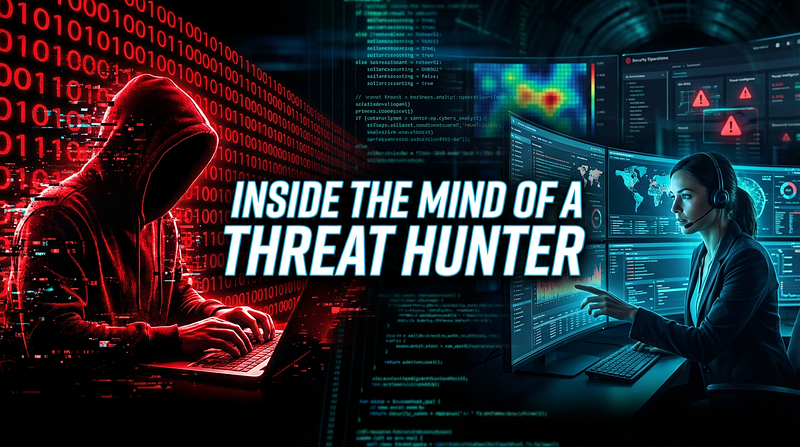
There is a dangerous misconception in cybersecurity: that if you buy enough tools, configure enough firewalls, and tune enough SIEM rules, you are safe.
But here is the hard truth: Silence in your SOC doesn’t mean you’re secure. It just means you haven’t found them yet.
Traditional security is reactive. It waits for a door to be kicked in before an alarm goes off. But sophisticated attackers APTs, ransomware gangs, and insider threats — know exactly how to walk through walls without tripping the sensors.
This is where Threat Hunting comes in. It is the shift from “waiting for the red light” to “going out into the dark to find the wolf.”
If you want to level up from a Tier 1 analyst to a true security defender, this is the skill you need to master.
What is Threat Hunting? (And What It Isn’t)
Threat Hunting is the proactive and iterative search through networks to detect and isolate advanced threats that evade existing security solutions.
It is not incident response. Incident response happens after the bomb goes off. Threat hunting is finding the bomb while the timer is still ticking.

The 3 Core Approaches
You don’t just “look around” randomly. Successful hunting is structured. It usually falls into one of three buckets:
Hypothesis-Driven: This is the scientific method applied to cyber. You start with a question: “If an attacker used the ‘Pass-the-Hash’ technique on our Finance subnet, what would it look like?” Then, you go look for that specific evidence.
Intel-Driven: This relies on Threat Intelligence (TI). You take known IOCs (Indicators of Compromise) like bad IP addresses, file hashes, or domain names and search your historical logs to see if they’ve already touched your network.
Analytics-Driven: This uses Machine Learning (ML) and User and Entity Behavior Analytics (UEBA) to spot anomalies. If Bob from Accounting usually logs in from New York at 9 AM, but suddenly logs in from North Korea at 3 AM, that’s a deviation worth hunting.

The Threat Hunting Loop
Hunting isn’t a one-time event; it’s a continuous lifecycle. We often visualize this as a loop:
Hypothesis Creation: Based on a new vulnerability (like a Zero-Day) or a gut feeling about a gap in your defenses.
Investigation: Dive into the data. Use your SIEM, EDR, and packet captures.
Uncover Patterns: If you find something, map it out. Is it a false positive? Or is it a sophisticated C2 beacon?
Remediation & Feedback: This is the most critical step. If you find a threat, you kill it. But more importantly, you automate the detection so you never have to hunt for that specific threat again manually.
The Skills You Actually Need
You can’t buy Threat Hunting in a box. It’s a human-driven skill set. To be effective, you need to master:
Deep OS Internals: You need to know what “normal” looks like in Windows and Linux so you can spot the “abnormal.”
Networking Protocols: You must be able to read PCAP files and understand HTTP, DNS, and TCP/IP headers.
Data Analysis: You need to be comfortable querying massive datasets using Splunk SPL, KQL, or SQL.
Practical Scenario with TryHackMe Threat Hunting Simulator: Health Hazard
Scenario overview
After months of juggling content calendars and caffeine-fueled brainstorming, co-founder Tom Whiskers finally carved out time to build the company’s first website. It was supposed to be simple: follow a tutorial, install a few packages, and bring the brand to life with lightweight JavaScript magic.
But between sleepless nights and copy-pasted code, Tom started feeling off. Not sick exactly, just off. The terminal scrolled with reassuring green text, the site loaded fine, and everything looked normal.
But no one really knows what might have been hidden beneath it all…
It just waited.
Scenario objectives
- Determine how a threat actor first gained a foothold on the system. Identify suspicious activity that may point to the initial compromise method.
- Investigate signs of malicious execution following the initial access. Analyse the logs and system behaviour to uncover the attacker’s actions.
- Identify any mechanisms the attacker used to maintain access across system restarts or user sessions. Look for indicators of persistence that could allow long-term control.
Walkthrough
We use Splunk, a powerful SIEM tool, to search for the specific IoCs related to the attack chain.
Initial Access (Supply Chain): We begin by searching for the malicious package name (health-check) in the logs. We find execution traces showing node.exe installing this package, which then triggers a command line execution.
Execution (PowerShell): The logs reveal that cmd.exe spawned a suspicious PowerShell process. The command was executed with flags like -WindowStyle Hidden and -EncodedCommand, a clear sign of malicious intent designed to hide from the user.
Cyber Security Notes and Cheat Sheets

Decoding the Payload: CyberChef
To understand what the attacker actually did, we extract the Base64 encoded PowerShell command and decode it using CyberChef.
The Analysis: The decoded script reveals the attacker’s playbook:
- Download: It retrieves a malicious payload named
system-health-updaterfrom a remote URL. - Install: It saves the payload to a hidden directory (
AppData). - Execute: It runs the payload immediately.
4. Establishing Persistence
A crucial part of the hunt is identifying how the attacker maintains access.
Registry Run Keys: The decoded script shows the attacker modifying the Windows Registry (HKCU\...\Run). They added a key named “Windows Update Monitor” (a stealthy name) that executes the malicious payload every time the system boots.
5. Reporting: The MITRE ATT&CK Framework
A hunt isn’t complete without a structured report. We map our findings to the MITRE ATT&CK Framework to standardize the incident for stakeholders:
Initial Access: Supply Chain Compromise (T1195).
Execution: Command and Scripting Interpreter: PowerShell (T1059.001).
Persistence: Boot or Logon Autostart Execution: Registry Run Keys (T1547.001).
Key Takeaways
Don’t Wait for Alerts: Sophisticated attackers use legitimate tools (PowerShell, NPM) to blend in. You must actively hunt for them.
Context is King: A PowerShell command isn’t inherently malicious, but a hidden, encoded PowerShell command spawned by Node.js definitely is.
Standardize Findings: Mapping evidence to frameworks like MITRE ATT&CK helps identifying gaps in your defensive posture.



