Passkeys in the real world: how passwordless actually performs in 2025
Introduction

Introduction
By 2025, passkeys have moved from “promising standard” to mainstream reality, and we finally have enough data to talk about real-world performance rather than just cryptographic ideals.
On consumer rails, the numbers are striking: the FIDO Alliance says more than 15 billion online accounts can now leverage passkeys, effectively doubling availability year-over-year.
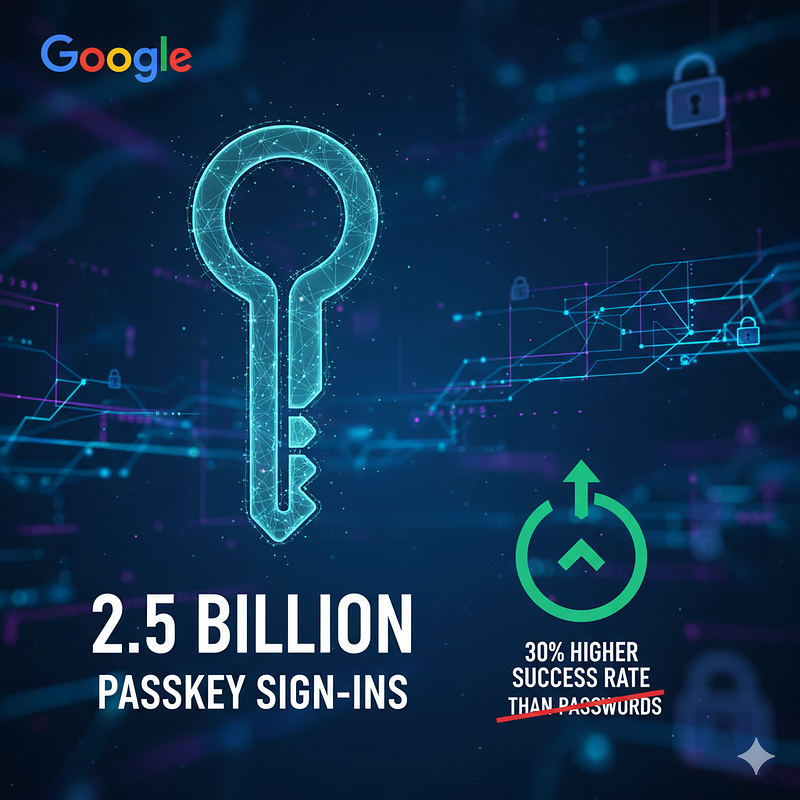
Google reports 800 million accounts using passkeys with over 2.5 billion passkey sign-ins, and they’ve measured a 30% higher sign-in success rate and ~20% faster sign-ins compared to passwords. Amazon, meanwhile, publicly crossed 175 million customers with passkeys enabled and calls the experience “six-times faster” than passwords.
Even password managers are amplifying lift: Bitwarden observed a 550% jump in daily passkey creation late last year, while Dashlane’s telemetry showed passkey use growing 400% in 2024 and materially improving login success. These aren’t vendor slides; they’re at-scale usage signals that match what security teams feel day-to-day: fewer resets, fewer “try again” loops, and far fewer phishable steps.
If we zoom out from the hype to lived UX, passkeys’ success flows are simple because they remove the brittle bits. A user hits “Sign in,” the site sends a WebAuthn challenge tied to that origin, and the platform authenticator unlocks the private key with Face ID, Touch ID, Windows Hello, or a device PIN.
There’s no shared secret to mistype or reuse, and phishing kits can’t replay a key scoped to the wrong domain. That’s why success rates rise: the path has fewer places to fail.
On mobile, synced passkeys traveling via iCloud Keychain, Google Password Manager, or Microsoft Authenticator mean that once a passkey exists, subsequent sign-ins are usually a single biometric. When your population is signed into the same Apple ID or Google account across their devices, and iOS, Android, and Windows keep tightening this loop, the “happy path” is genuinely one-gesture. It’s mundane in the best possible way.
The failure flows are where 2025 gets interesting, and where deployment art matters. The most common rough edge remains device/credential availability: users switch phones, wipe laptops, or arrive on a kiosk without their synced keys. If the relying party offers cross-device passkey use (e.g., scanning a QR code to use the phone’s authenticator), conversion usually recovers; if not, the experience devolves into legacy fallbacks, which re-introduce the very phishing risk we set out to kill. Recovery UX is the other big hinge.
If your account recovery path is still “email me a link or text me a code,” your adversary just got their foothold back. That’s why enterprise programs lean on higher-assurance proofing plus recoverable, synced passkeys and, when necessary, hardware security keys for break-glass.
GitHub’s experience is instructive: since passkeys launched, ~1.4 million passkeys were registered quickly outpacing other WebAuthn factors; at the same time, the broader ecosystem (npm, etc.) is moving to stricter, phishing-resistant 2FA after supply-chain incidents. The lesson is not that passkeys never fail; it’s that their failure domains are narrower and far easier to control with good policy.

Adoption is no longer a “will they, won’t they” story. The FIDO Alliance’s 2025 consumer research pegs passkey awareness around 74–75%, and usage among those who know about them is climbing because they’re both easier and safer. In the workforce, new HID/FIDO data indicates ~87% of businesses have deployed or are deploying passkeys, up double digits from prior years. Pair that with platform moves,
Google made passkeys the default sign-in option for personal accounts, Microsoft continues pushing phishing-resistant auth and Entra authentication strengths, and Apple’s platform-level Keychain + Passkeys story keeps smoothing multi-device life, and you get a clear picture: passwords are no longer the default motion.
What good looks like
Consumer web demo, synced passkey path. On a recent Amazon-style setup, the user taps “Sign in with a passkey,” gets the platform prompt, glances at Face ID, and lands on the account homepage.
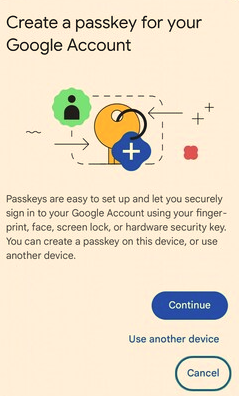
Time-to-auth is under two seconds, no OTP latency, and critically, zero chance of entering a passkey on a phishing domain because the private key never leaves the device and the challenge is origin-bound.
The only moment the flow “breaks” is first-run on a fresh device, where a QR code handoff from the phone re-establishes trust using the existing passkey. At scale, Amazon says this is markedly faster than password flows, which tracks with Google’s own speed and success-rate uplift.
Enterprise demo, managed devices with Entra ID. Picture a macOS or Windows fleet enrolled in MDM with platform SSO and Entra policies enforcing phishing-resistant authentication strength.
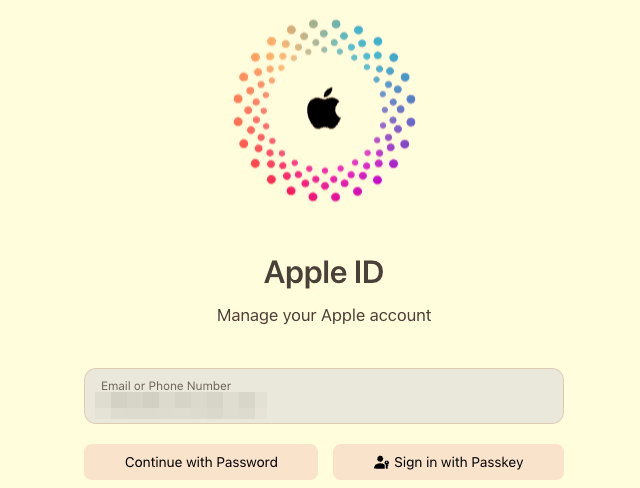
First login to the IdP uses a platform passkey (Windows Hello or Touch ID) seeded during provisioning; app SSO rides that session token without any TOTP or SMS.
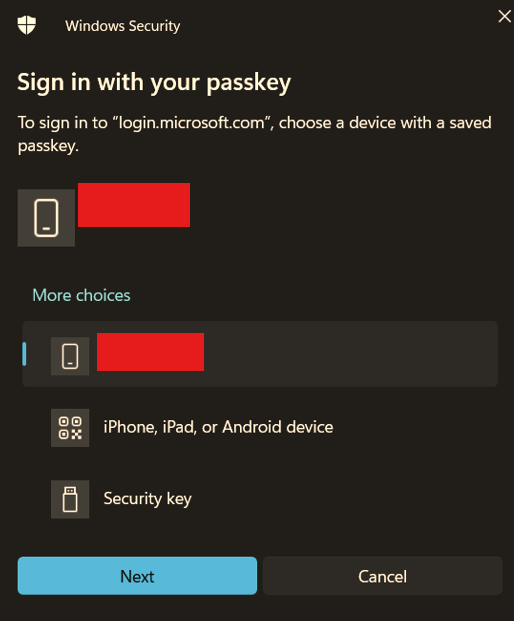
When someone loses a laptop, Help Desk uses Temporary Access Pass or an out-of-band hardware key ceremony to bootstrap the next device, never dropping back to email links.
Conditional Access keeps passwords disabled entirely, and only registered platform AAGUIDs or FIDO2 keys satisfy policy. The friction that remains is largely identity proofing and lifecycle, not the everyday login. Microsoft’s current guidance and updates make this repeatable today.

Where passkeys still stumble, and how teams are fixing it
The first is user education at the moment of change. Dashlane’s research shows nudges (“use a passkey instead”) materially increase adoption, while leaving passkeys as a quiet option yields “password inertia.” That aligns with conversion data we see in content funnels: defaults win. Make passkeys the first button, explain the why in a sentence, and instrument the drop-offs.
The second is ecosystem portability. People want to switch managers and keep their credentials. FIDO’s Credential Exchange drafts (CXP/CXF) are maturing to allow secure transfer of passkeys between providers, an unsexy but vital piece for long-term trust. Finally, recovery hardening remains a work in progress. Strong proofing plus synced passkeys and a minimal, audited break-glass path are the difference between “passwordless” and “password-minus.”

The security delta you can take to the board
Phishing resistance is the headline. Because passkeys bind to the origin and use asymmetric crypto, credential replay and real-time relay are dead on arrival. That directly compresses two massive cost centers: incident response around credential theft, and user support around password resets and OTP failures. Real-world data bears this out: Google’s larger success and speed numbers translate into fewer help-desk tickets and better checkout conversion; Amazon’s “six-times faster” figure is a concrete revenue story for e-commerce P&Ls. Add the macro trend, password attacks measured in thousands per second across ecosystems, and it’s clear the risk curve bends toward passkeys as your default policy.

Enterprise rollout playbook (what’s working in 2025)
Start by picking your north star: “phishing-resistant by default.” In Entra ID, that means enforcing the Phishing-resistant authentication strength in Conditional Access so only platform passkeys or external FIDO2 keys satisfy policy, not OTPs.
Next, kill passwords with intention, not overnight. Disable password login for cohorts as their device posture is ready (platform SSO, compliant OS version, MDM escrow of recovery anchors). Use Temporary Access Pass and in-person or high-assurance remote proofing to bootstrap new devices without re-introducing email or SMS. Then, tune the device story.
On macOS and iOS, ensure iCloud Keychain sync is enabled for business Apple IDs where appropriate; on Windows, make Windows Hello the out-of-box path and validate that your key attestation (AAGUID allow-list) reflects the authenticators you plan to support.
Finally, instrument everything: success rates, time-to-auth, recovery triggers, and help-desk categories. Your goal is a steady drop in password reset tickets and OTP “didn’t arrive” complaints, offset by a short-lived spike in first-run education as cohorts switch. Microsoft’s current docs and blog guidance make these controls explicit and, crucially, enforceable at scale.
Adoption snapshot you can cite
If leadership wants proof this isn’t just for Big Tech, the broad sentiment has caught up. FIDO’s 2025 survey pegs consumer passkey awareness around three-quarters of respondents, with most of those aware rating passkeys as both more secure and more convenient than passwords.
HID’s business study shows ~87% of enterprises have either deployed or are in active deployment. GitHub has already registered ~1.4 million passkeys and is tightening its software supply-chain auth to favor phishing-resistant methods by default. And the ecosystem keeps improving portability and management through standards like CXP/CXF so that vendor lock-in isn’t the reason you stay on passwords. The narrative is no longer “someday.” It’s “we’re late if we haven’t started.”
Bottomline
In 2025, passkeys perform better because the flow is simpler, more local, and less phishable. The success path has fewer steps and higher conversion; the failure path is shrinking as recovery and portability mature.
The adoption curve, from Google’s billions of sign-ins to Amazon’s nine-figure user base to enterprise rollouts across Entra,has crossed the chasm. If you’re designing your next quarter’s roadmap, move passkeys to the default button, harden recovery so it’s as phishing-resistant as the login, and measure time-to-auth and help-desk tickets as your leading indicators. Passwordless isn’t just nicer; it’s materially safer and now measurably better for the business.



