EDR Explained | TryHackMe Introduction to EDR Walkthrough
Introduction

Introduction
In my analysis of Endpoint Detection and Response (EDR), I explore how this crucial cybersecurity technology provides deep and continuous protection for endpoint devices, going far beyond the capabilities of traditional antivirus software.
EDR vs. Antivirus (AV)
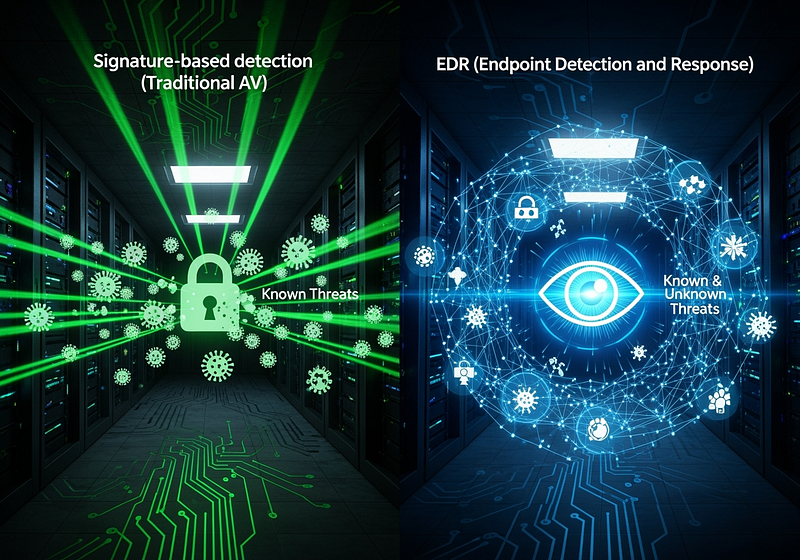
While AV primarily focuses on blocking known malware using signature-based detection, EDR takes a much more active and comprehensive approach. It is designed to monitor, detect, and respond to suspicious activities in real-time, even if the threat is new or has been customized to evade traditional defenses. EDR achieves this by employing a variety of advanced detection methods, including behavioral analysis, machine learning, anomaly detection, and the ability to spot fileless malware.

Visibility and Monitoring

One of the greatest strengths of EDR is the complete visibility it provides into endpoint activity. It monitors running processes, registry modifications, file changes, and network connections, presenting this information in a structured “process tree.” This hierarchical view, which shows the parent-child relationships between processes, allows security analysts to quickly identify suspicious activity and understand the full scope of an attack.

Telemetry Collection
EDR relies on lightweight agents installed on all endpoints to collect a wide range of telemetry data. This data, which includes process executions, network connections, command-line activity, file and folder modifications, and registry changes, is sent to a central EDR console for analysis and investigation.

Advanced Detection Methods
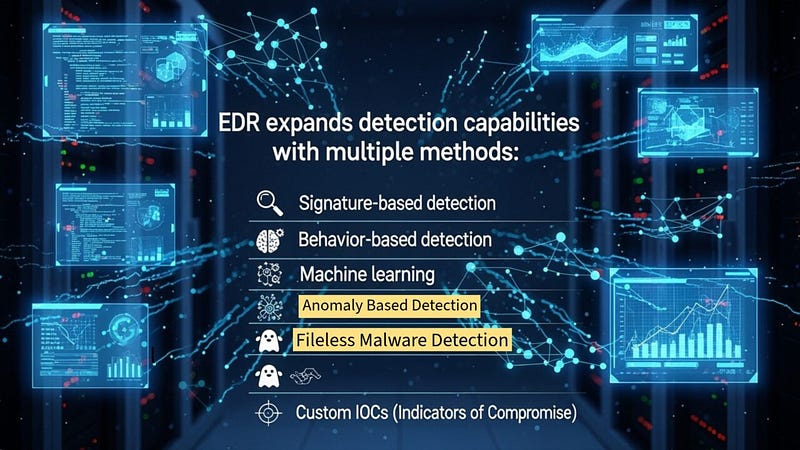
I explain that EDR uses a multi-layered approach to threat detection:
- Signature-Based Detection: Comparing files against a database of known malware fingerprints.
- Behavioral Detection: Flagging unusual activities based on predefined malicious behaviors.
- Machine Learning: Identifying advanced threats that evade normal detection by analyzing complex patterns.
- Anomaly-Based Detection: Spotting deviations from established baselines of normal activity.
- Fileless Malware Detection: Identifying malware that resides in memory rather than on the file system.
- Custom Indicators of Compromise (IOCs): Allowing analysts to feed specific threat markers, such as IP addresses, domains, and file hashes, to enhance detection.
Robust Response Capabilities
Upon detecting a threat, EDR provides a range of automated and manual response actions, including:
- Isolating the host: Disconnecting the infected machine from the network.
- Terminating malicious processes: Stopping any suspicious processes that are running.
- Quarantining malicious files: Isolating any files that are identified as malicious.
- Adding to a watchlist: Monitoring specific entities for future suspicious activities.
- Collecting artifacts: Gathering forensic data from the endpoint for further investigation.
- Remote shell access: Allowing analysts to connect directly to the host to execute commands.
TryHackMe Introduction to EDR Walkthrough & Room Answers
To illustrate the power of EDR, I walk through a detailed attack scenario. A malicious macro in a Microsoft Word document spawns a PowerShell process, which then executes an obfuscated command to download a payload. This payload is injected into a legitimate svchost.exe process, granting the attacker remote access.
While a traditional AV might miss several stages of this attack, EDR is able to:
- Detect the unusual parent-child relationship between
Winword.exeandPowerShell.exe. - Flag the execution of the obfuscated script.
- Spot the process injection into
svchost.exe.
This allows the EDR to generate a detailed alert and provide a full analysis of the attack chain, enabling the security analyst to quickly understand and respond to the threat. The only command explicitly mentioned in this context is curl, which could be used in the payload download stage.
Room answers can be found below