Code Red for Apple Users: Inside the WebKit Zero-Days That Just Hit Your Device
If you’re like most people, you see a notification for an iOS or macOS update and think, “I’ll do it tonight.” Then you forget. Then you do…

If you’re like most people, you see a notification for an iOS or macOS update and think, “I’ll do it tonight.” Then you forget. Then you do it three days later.
Usually, that’s fine. This week, it wasn’t.
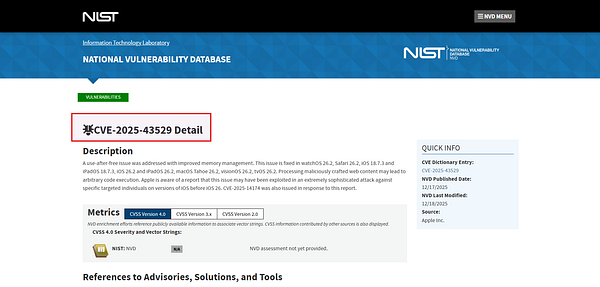
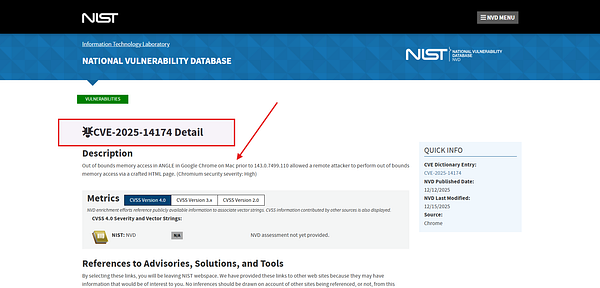
Apple recently pushed emergency updates for a pair of vulnerabilities: CVE-2025–14174 and CVE-2025–43529 that are currently being exploited in the wild. And when I say “exploited,” I don’t mean by a teenager in a basement.
The credit for finding these goes to Google’s Threat Analysis Group (TAG) and Apple’s own SEAR team. When those two acronyms appear together, it usually means state-sponsored actors or commercial spyware vendors are involved.
What is WebKit?
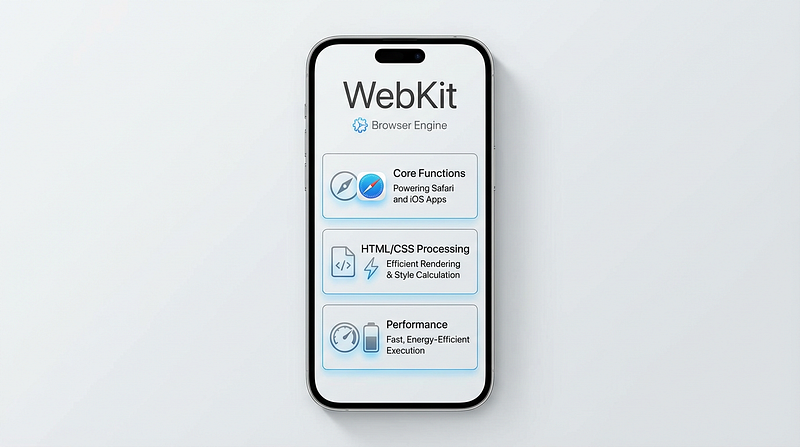
Before we dissect the hack, we have to understand the target. To understand why a bug in Safari is a global security emergency, you have to understand WebKit.
Think of a web browser (like Safari) as a car.
Safari is the body work; the steering wheel, the dashboard, the bookmarks, and the paint job.
WebKit is the engine.
WebKit is the piece of software responsible for taking the code of a website (HTML, CSS, JavaScript) and rendering it into the visual page you interact with. But here is the catch: on Apple devices, WebKit isn’t just in Safari. It’s everywhere.
When you open a link inside your Mail app? That’s WebKit. When you click an article on LinkedIn or Twitter/X? That’s WebKit. Even the App Store uses it to render content.
For years, Apple’s “walled garden” architecture meant that every browser on the iPhone even Chrome or Firefox was forced to use the WebKit engine underneath. While regulations like the EU’s DMA are slowly changing this, the vast majority of iOS devices are still running WebKit.
If you break WebKit, you don’t just break a browser. You punch a hole in the OS that can be exploited through almost any app on the phone.
The Technicals
The recent patch fixed two specific bugs that attackers were chaining together.
CVE-2025–43529
Type: Use-After-Free (UAF) in HTML Parser.
Computer memory is like a hotel. When a guest (a piece of data) checks out, the room is supposed to be marked “empty” so the cleaners can come in. In a Use-After-Free attack, the hacker tricks the browser into thinking the room is empty, but they keep a secret key to the door.
Once the browser puts new, legitimate data into that room, the hacker uses their secret key to change it.
The browser gets confused, executes the hacker’s instructions instead of its own, and suddenly, the attacker has code execution on your device.
CVE-2025–14174
- Type: Out-of-Bounds Access in ANGLE.
This one is fascinating because it wasn’t just an Apple problem. It was in ANGLE, an open-source graphics engine used by Chrome, Firefox, and Safari to handle 3D graphics (WebGL).
By creating a malicious 3D graphic on a webpage, attackers could force the graphics engine to read or write memory outside of its safety sandbox.
It allows the attacker to escape the browser’s “security cage” and mess with the system memory directly.

How It Can Happen
What makes these vulnerabilities terrifying for enterprises and high-risk users is the simplicity of the attack vector.
We are looking at a visit-and-compromise scenario.
- You receive a text message (SMS, WhatsApp, iMessage) with a link. It looks like a shipping notification or a news article.
- You tap the link.
- The page loads. It might look blank, or it might actually load a real website. But in the background — in milliseconds — the malicious Javascript is spraying your device’s memory and triggering the WebKit bug.
- The browser unknowingly downloads a spyware implant.
There is no Allow this app to run? popup. There is no password prompt. It just happens.
Note: Apple explicitly noted that these issues may have been exploited against specific targeted individuals. This is code for Mercenary Spyware — tools like Pegasus or Predator used to target journalists, diplomats, and executives.

Patching
Browser extensions and ad-blockers won’t save you here. Because these bugs exist in the rendering engine itself, the exploit often runs before your extensions can even load.
The only fix is the patch.
Check your device settings immediately. If you are not on these versions (released mid-December 2025), you are vulnerable:
- iPhone: iOS 26.2
- Mac: macOS Tahoe 26.2
- iPad: iPadOS 26.2
Lockdown Mode
If you are a person of interest a journalist, an activist, a politician, or a C-suite executive, you should consider enabling Lockdown Mode.
Lockdown Mode is an extreme protection setting on Apple devices that, among other things, disables Just-In-Time (JIT) JavaScript compilation. JIT is a performance feature that makes websites run fast, but it is also the primary playground for memory exploits like these.
Turning it off makes your phone slightly slower, but it makes exploiting these specific bugs mathematically impossible for the attacker.
Final Thoughts
We are living in an era where the browser is the new operating system. We trust it with our banking, our secrets, and our work. But every time you load a webpage, you are technically downloading and executing untrusted code from a stranger.
References:
Cyber Security Notes and Cheat Sheets